
Feature image: Kalawin from Getty images, © Canva
How to work faster with metadata-driven workflows

How do metadata macros amplify your workflows?
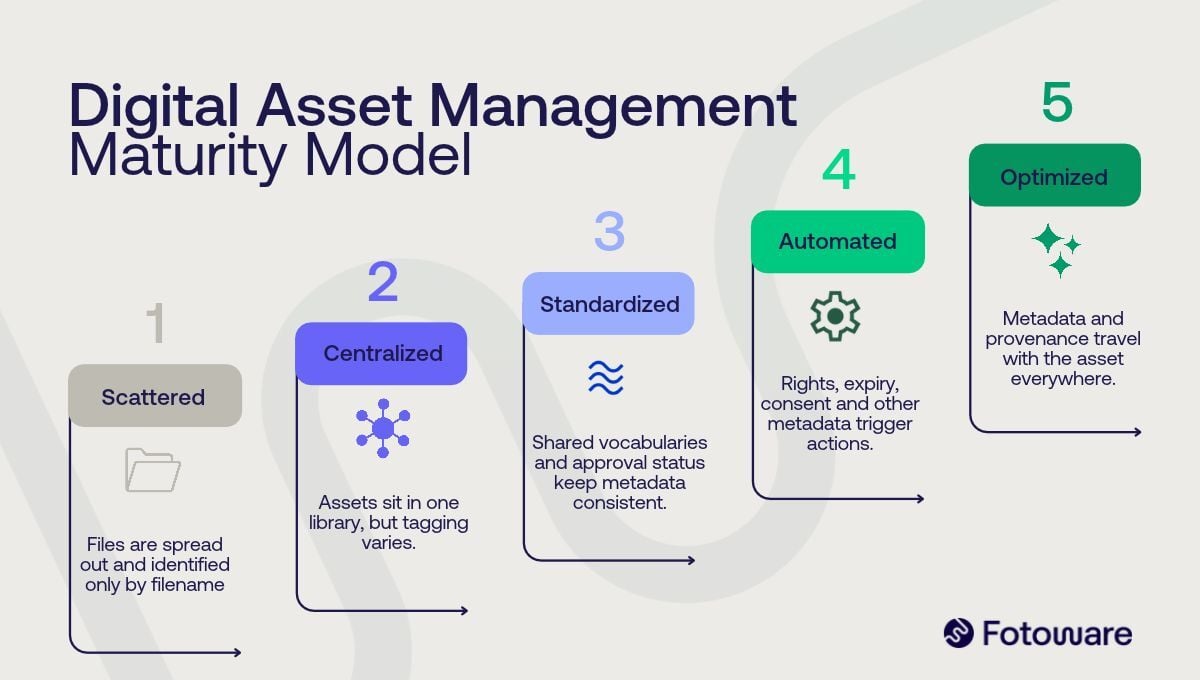
Metadata macros are operations that automatically add or replace values in one or more metadata fields. In Fotoware, there’s no limit on custom metadata fields or custom macros, so editors can create almost any macro that their organization needs. Macros can run on their own or as parts of larger workflows, such as asset ingestion, routing, or distribution.
In short, macros allow a workflow to enrich given assets as it runs. For example, one can use such macros to build an audit trail by recording the status change, and the user who made it, as a file moves to a new stage in the approval journey. Or, one can automatically add event data to every image uploaded from a specific event, eliminating the need to manually type the same information over and over again.
Which organizations benefit most from metadata-driven workflows?
Metadata-driven workflows bring the most value to organizations that manage large volumes of content at scale, such as broadcasters, publishers, museums, sports clubs & agencies, law enforcement entities, and communications teams in larger companies. When thousands of files pass through the system every month, manual handling quickly becomes a bottleneck and a source of error.
Common tasks to automate include image rights management, content approval, image consent management, automatic publishing, and archiving. The Belgian public broadcaster VRT is a good example of the scale involved, managing over a million images within their DAM solution, typically reaching 20,000 uploads per month.
FREE GUIDE
5 Essential Digital Asset Management workflows
5 examples of metadata-driven workflows in DAM
The following five DAM automations show how metadata-driven workflows work in practice and provide useful examples and inspiration across industries.
1. Adding metadata automatically on ingestion
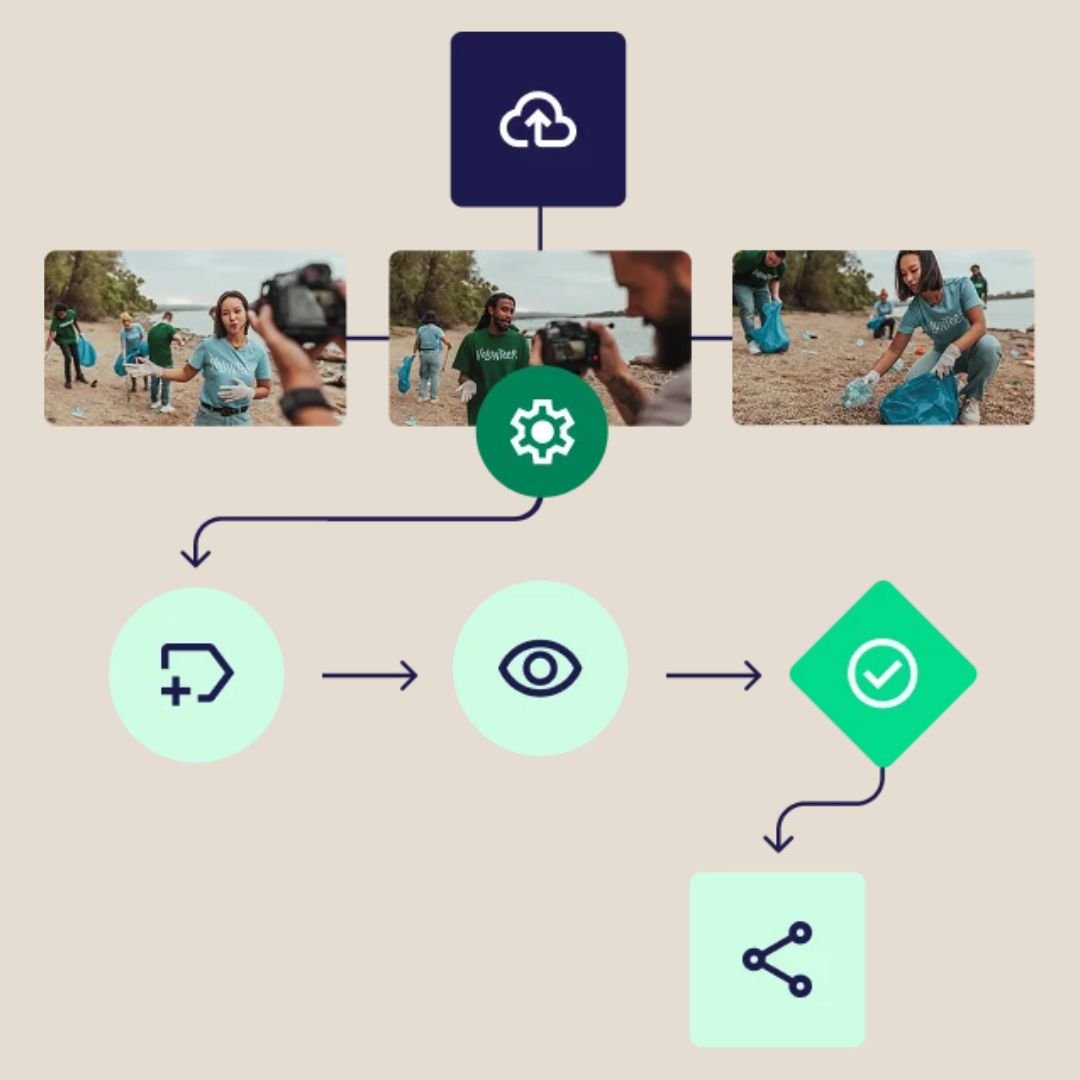
Ingestion is where a lot of metadata gets lost, simply because the people uploading files are busy. An ingestion workflow adds relevant metadata the moment files arrive, such as the photographer’s name, credit line and copyright, along with event details like the event name, date and location. Macros can apply fixed values for a specific upload job, while dynamic values, such as the name of the user uploading the assets or GPS values, fill in the rest.
The result is a library that’s searchable and well tagged from the first minute.
2. Approving content and publishing it automatically
Getting visuals approved by the right people can be time-consuming, and notes and revisions easily get lost along the way. With a metadata-driven approval workflow, the DAM notifies the right people when a file is ready for review, and markers on the thumbnails show which stage each asset has reached. Once an asset is approved, the workflow can move it to an archive for approved content, open to more users or even the public, or publish it directly to your website through a CMS integration.
One example of such a workflow is implemented at The San Francisco Ballet, who runs a multi-step approval process like this in the DAM. After each performance, the Artistic department selects the best images, and each dancer approves the pictures they appear in. In the words of the ballet’s former Director of IT: “Processes that had previously taken hours of people’s time, running around and chasing people, can now be done in a matter of minutes.”
3. Managing image rights and license expiry
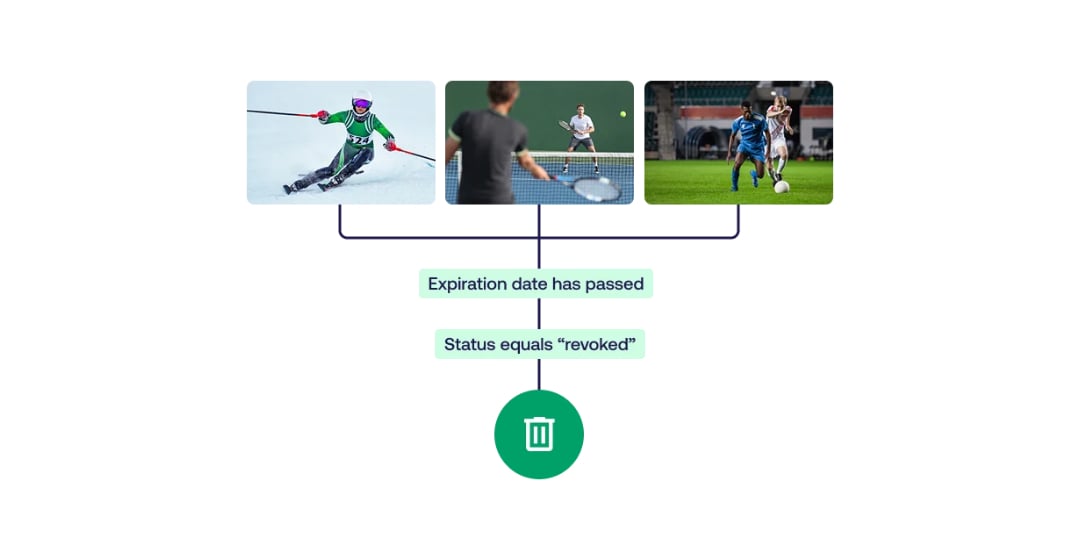
Licensed images, campaign visuals and model releases often come with a publication date, as well as an end date. By adding such dates to each asset’s metadata, you can set up a marker that shows whether the date has passed and notify specific users when it does. The workflow can also routes files to the appropriate archives automatically once the given dates are reached, or publish and remove such content items automatically from the website if a CMS integration is in place.
Read more: DAM and CMS - how do they differ?
This way, organizations ensure that no one publishes expired or secret content by accident, and that every file that's publicaly available has the correct license in place.
4. Ensuring GDPR compliance with consent workflows
Under the GDPR, images of identifiable people count as personal data, which makes documented consent essential for organizations operating in Europe. In Fotoware, you can create customized consent forms and attach them to specific files. A workflow can then make sure that only images with valid consent are visible to all users, and notify the responsible people if a consent status changes, for example when someone withdraws their consent.

Combined with AI that detects people in images, the consent check can start automatically following ingestion, ensuring that no image of a person slips through without being reviewed.
5. Archiving content when an initiative ends
Campaigns, events and projects produce large batches of images, and many of them are only needed for a short time. An archiving workflow routes every image from a finished initiative, identified by its project or event metadata, into a designated archive for expired assets. From there, the best images can live on indefinitely, while copies and unnecessary visuals are deleted automatically based on predefined metadata criteria, such as a rating or a selection status.
Because deletion follows the metadata, you decide the rules once and the system applies them consistently. The library stays lean and easier to search, and you avoid paying to store files nobody will use again.
FREE RESOURCE
The ultimate DAM buyer's guide

On this page