Fotostation product tour
Explore how creative professionals streamline high-volume image workflows - from rapid culling and metadata tagging to automation and pre-DAM approval.
Loved by photographers worldwide for more than 25 years





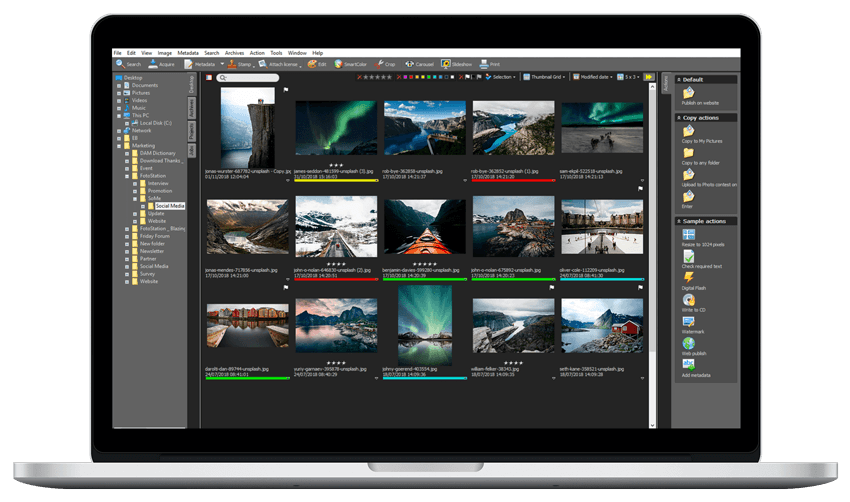
Advanced image management for professionals
For over 25 years, Fotosation has brought speed, structure, and full control to large-scale media workflows. Loved by photographers and editors worldwide, it’s trusted for high-speed culling and selection, batch tagging, copyright control, and precise file processing.

Powerful features that will transform your photo workflows
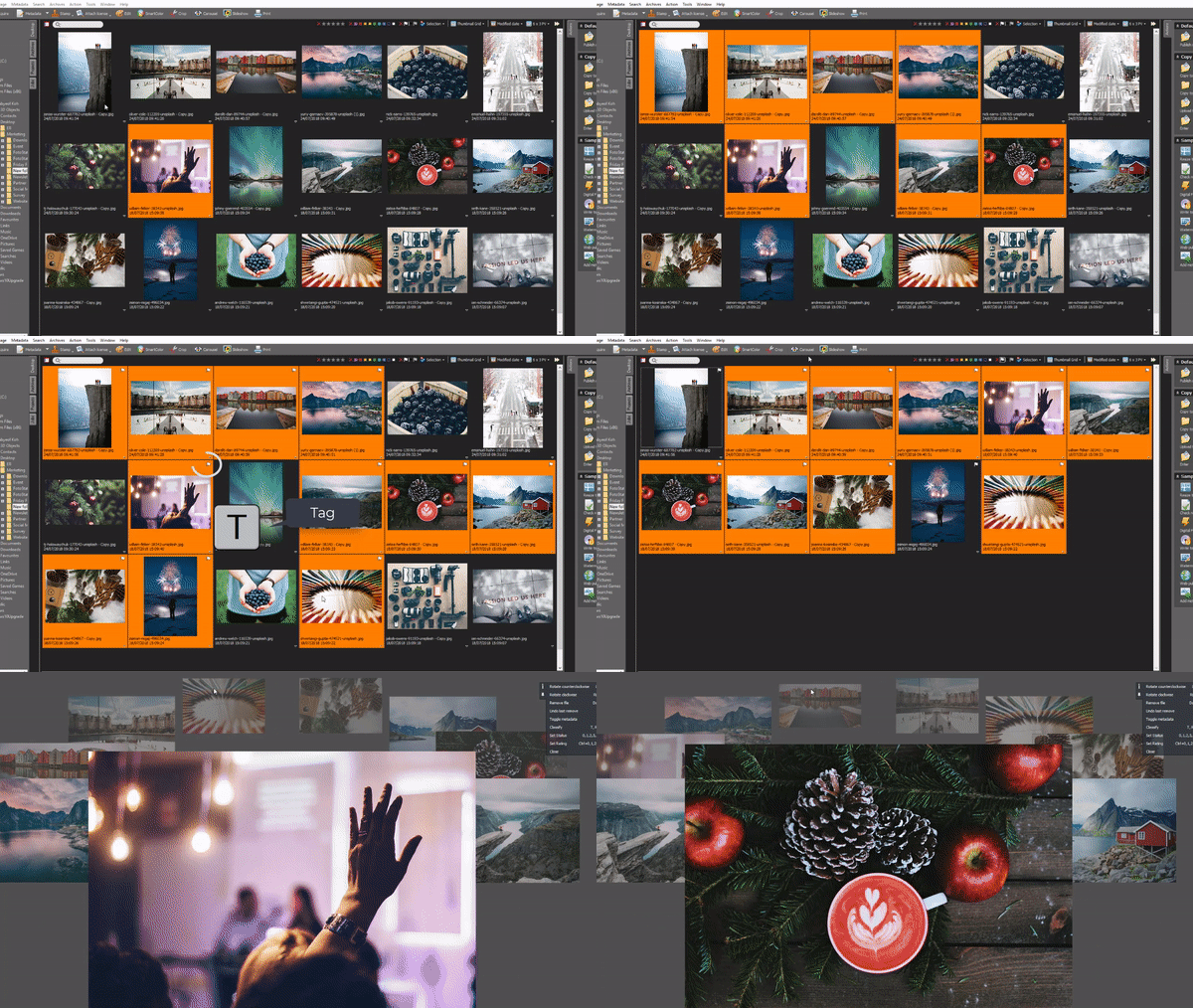
Culling & selection Find the best images at speed
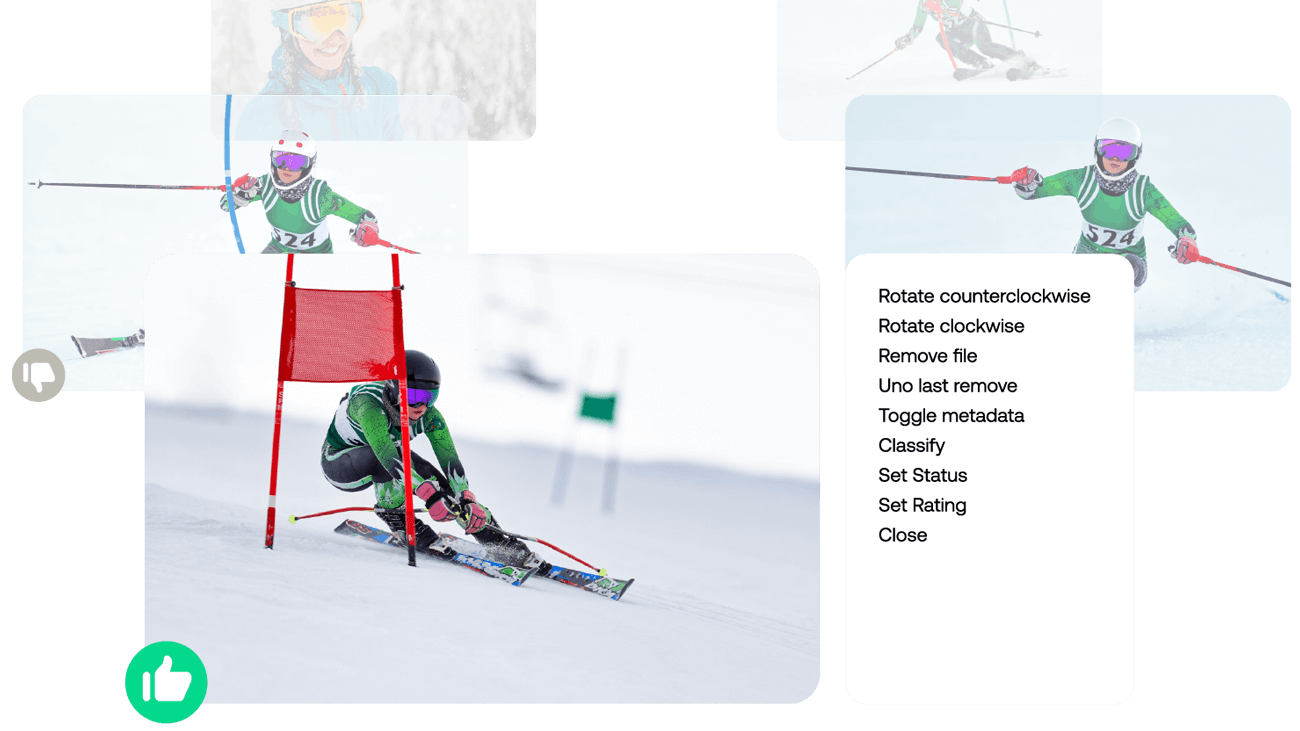
Quickly browse, compare, and rate thousands of images. Fotostation’s high-speed interface and keyboard shortcuts make it easy to select the best shots and reject outtakes. Cull, tag, approve, or reject images before they enter production - keyboard shortcuts and drag-and-drop make it fast.
Work with your files - wherever they live
Access and manage images from camera cards, local folders, or your DAM in a single view. No imports, no back-and-forth. Quickly edit, tag, or process assets - before or after uploading to the DAM - all without disrupting your workflow.
- Browse, preview digital images
- Fast import from SD/CF cards
- Play back video files
- Organize files in archives
- Search all metadata on any file
- Unlimited files per archive
- Archive content on offline media
Tired of metadata chaos? Batch update metadata to save hours
- with the market’s most advanced metadata editor
Ensure every image is correctly tagged and approved before it hits production. Fotostation simplifies high-volume image workflows by enabling fast, consistent metadata updates across entire batches - ensuring every file follows editorial standards, controlled vocabularies, and rights guidelines.
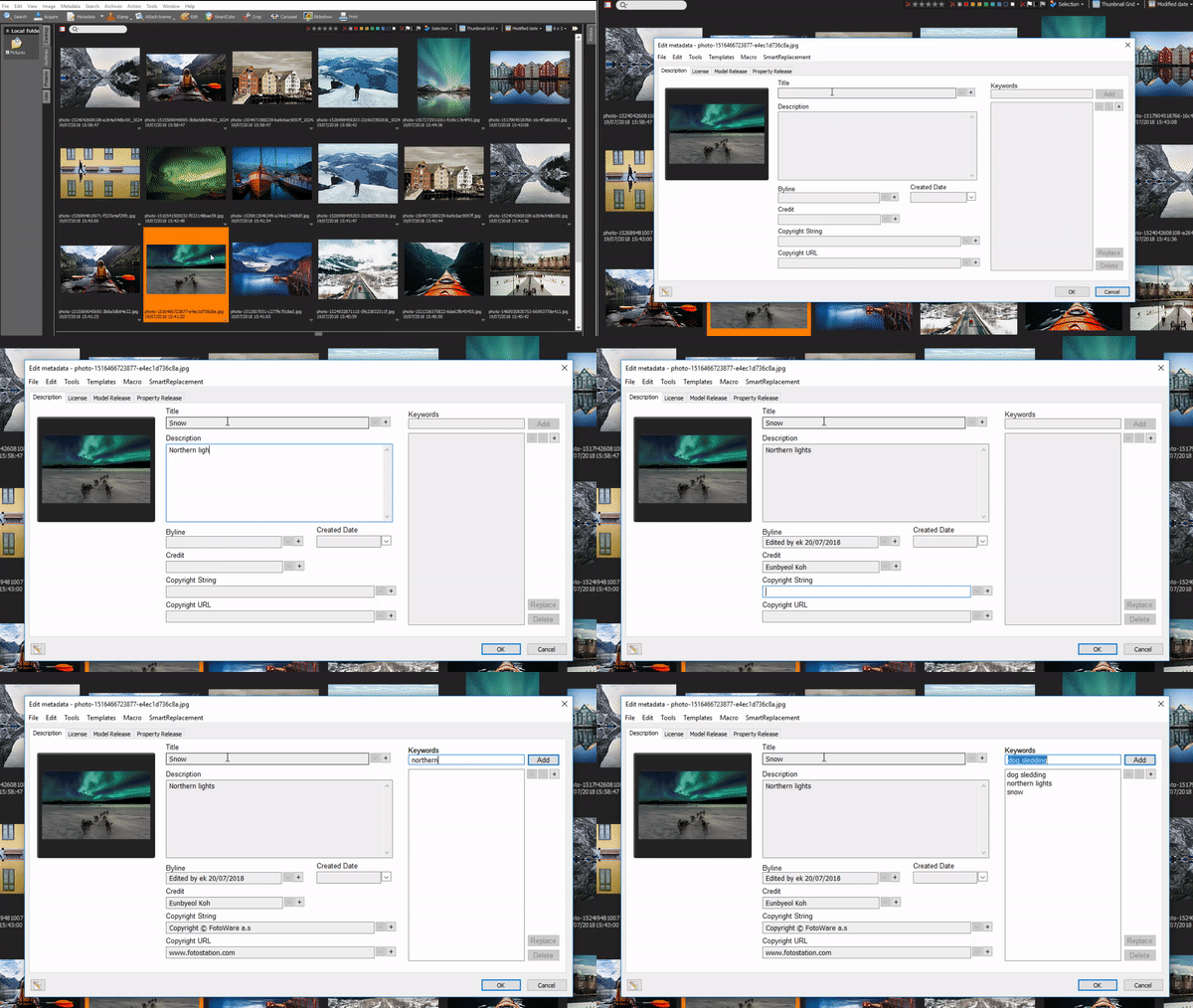
| Speed up repetitive tagging or editing with batch updates, macros and workflows | |
| Customizable metadata editors - tailor your metadata fields to match your needs | |
| Apply consistent info (like copyright or project details) in one click | |
| Instantly access the right file - even in huge collections | |
| ODBC connections: Share metadata with other tools, partners, or departments for a controlled vocabulary |

"Fotostation is the best software that I have ever used for entering metadata. It's clear, convenient, and intuitive."

"Fotostation is compact, light and fast. Many options for mass edit and field import and export. Good for efficient workflow on big data mass in combination with many images."
Workflows that work for you Automate repetitive tasks with workflows
Automate routine tasks such as renaming, resizing, file transfers, and metadata tagging. Trigger automation steps based on metadata status to build automated workflows that eliminate repetitive steps and save hours.
- Convert file formats
- Tag with metadata
- Resize
- Change color space
- Transfer to DAM
- Rename
- Organize selections
- - all automated!
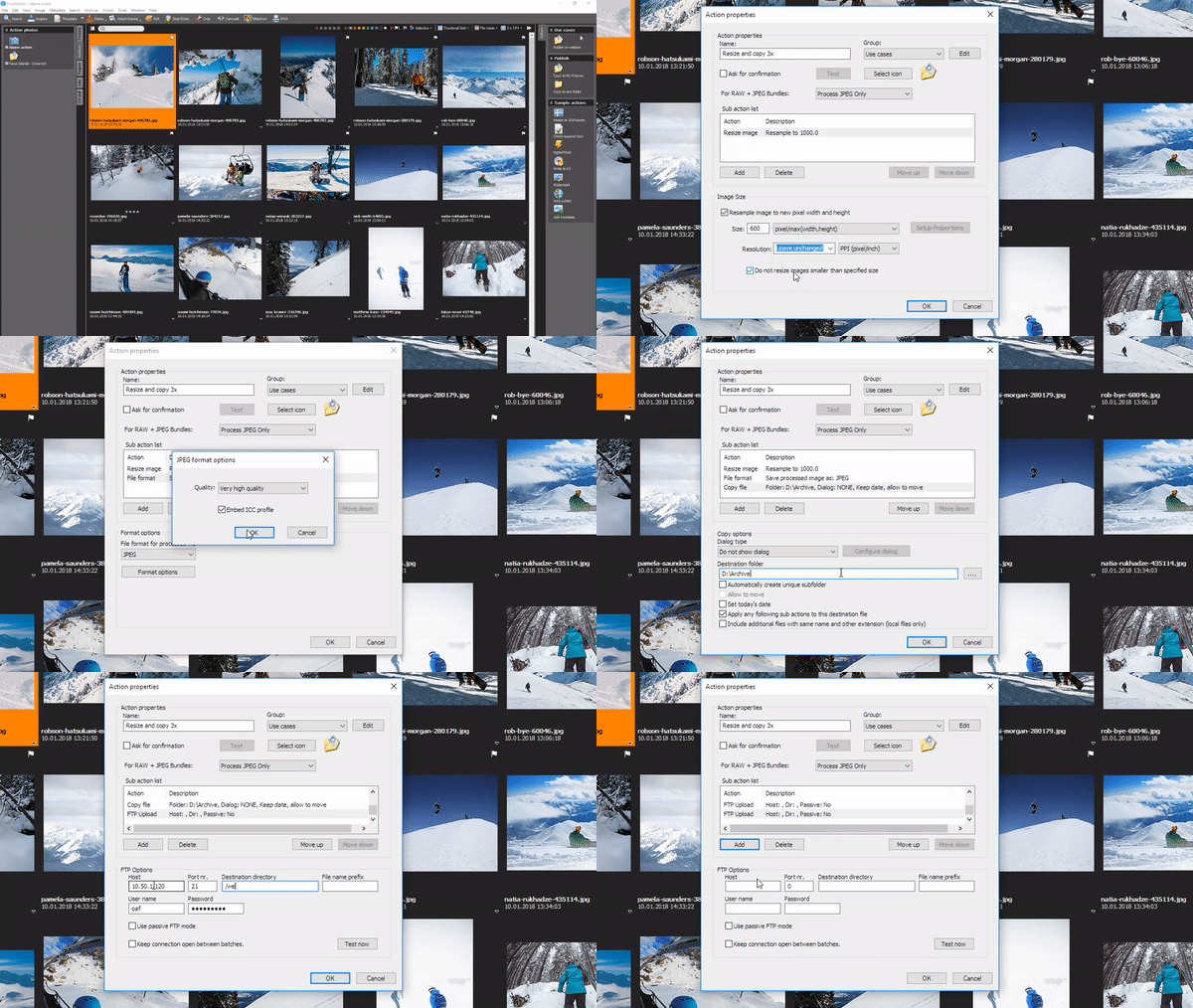
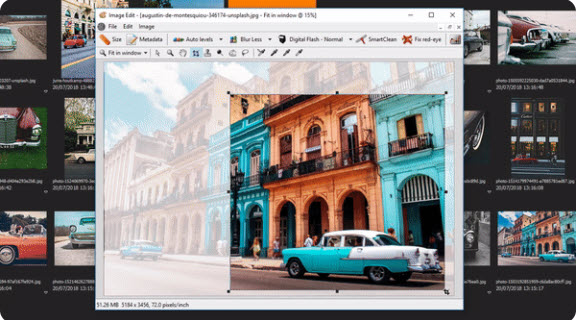
Image editing Make edits fast, without switching tools
Crop, resize, correct color, fix red eyes, and pixelate sensitive content in seconds. For advanced edits, open files in Photoshop and save changes in files Fotostation and the DAM instantly.
- Edit photos in image editor
- Auto levels and contrast
- Resize and crop images
- Keyboard shortcuts
- Handle RAW/JPEG bundles
- RAW via Adobe DNG Converter