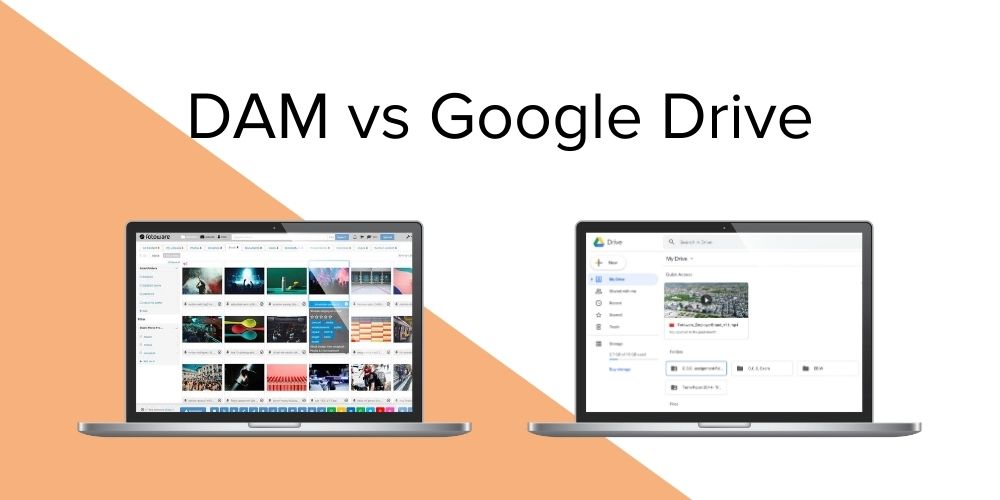
Digital Asset Management vs Google Drive - What's the difference?

Google Drive is cloud storage for syncing and sharing files, whereas a Digital Asset Management (DAM) system adds the metadata, rights control, version control, and automation that keep assets findable, compliant, and reusable at scale.
Many teams manage their images, videos, and brand content in Google Drive simply because it is already in place and easy to share. That works well while the library is small. As it grows into the thousands and more people need access, the limits of general-purpose storage become clear: files are hard to find, near-identical versions pile up, and it is difficult to tell which assets are approved or cleared for use.
The distinction itself is straightforward. Google Drive stores and syncs files, while a DAM manages assets across their lifecycle, adding the structure, governance, and automation that storage alone does not provide.
Both keep files in the cloud, but only one is designed to keep them findable, compliant, and reusable as volume grows. For most organizations the two are not rivals. They solve different problems, and many teams use both.
What is Google Drive built to do?
Google Drive is cloud sync storage. Google describes it as a safe place for all your files: store, share, and collaborate from any phone, tablet, or computer. It sits alongside services like Dropbox and Box, integrates with a wide range of apps, and handles everyday documents, spreadsheets, and quick file sharing very well.
Drive organizes content the way most of us always have, with folders and filenames. For a handful of documents and a few collaborators, that is often enough. The friction starts when the library grows into the thousands, when the content is high-value visual material, and when people outside the original team need to find the right file without asking the person who uploaded it.
What is a Digital Asset Management system built to do?
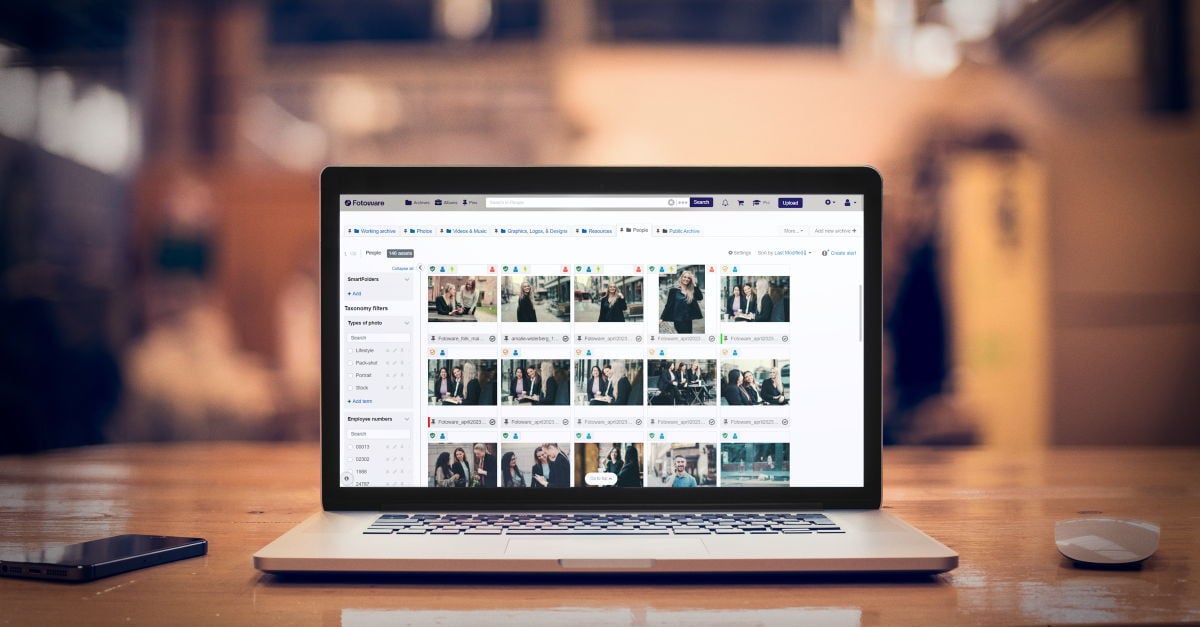
A Digital Asset Management (DAM) system gives you a single, governed place to store valuable files and organize them so colleagues can find them without your help. The turning point is metadata. By attaching structured information to each file, a DAM turns a loose file into an asset. Its value rises because it can be found, shared, and reused long after the person who created it has moved on.
A DAM also does the things a shared drive leaves to memory and good intentions: it controls who can view, edit, or download each asset, keeps usage rights and licenses attached to the file, tracks versions, and automates repetitive production steps. The result is less duplicated effort, fewer compliance risks, and far more value from content you have already paid to produce.
Read more: Digital Asset Management (DAM): the complete guide
The core differences between Google Drive and a DAM
Organization and search. Google Drive relies on folders and filenames, so finding an asset depends on knowing where someone filed it and what they called it. A DAM is metadata-driven, so search works on what an asset actually is: its subject, campaign, date, photographer, or rights status. That is why a DAM stays navigable at hundreds of thousands of files while a folder tree quietly becomes unsearchable.
 Rights, permissions, and compliance. A shared drive treats access as a sharing setting. A DAM treats it as governance. Usage rights, licenses, and consent can be embedded directly in each asset, with expiry dates and visual markers showing what is safe to use. For images of identifiable people, that matters: such images count as personal data under GDPR, and keeping consent and rights attached to the file turns compliance into something built into the asset rather than dependent on someone remembering a rule.
Version control and a single source of truth. In Google Drive, three versions of the same image can happily coexist, and nothing signals which one is final. A DAM secures the original, controls revisions, prevents duplicates, and can remove expired files automatically, so teams always reach for the current, approved version.
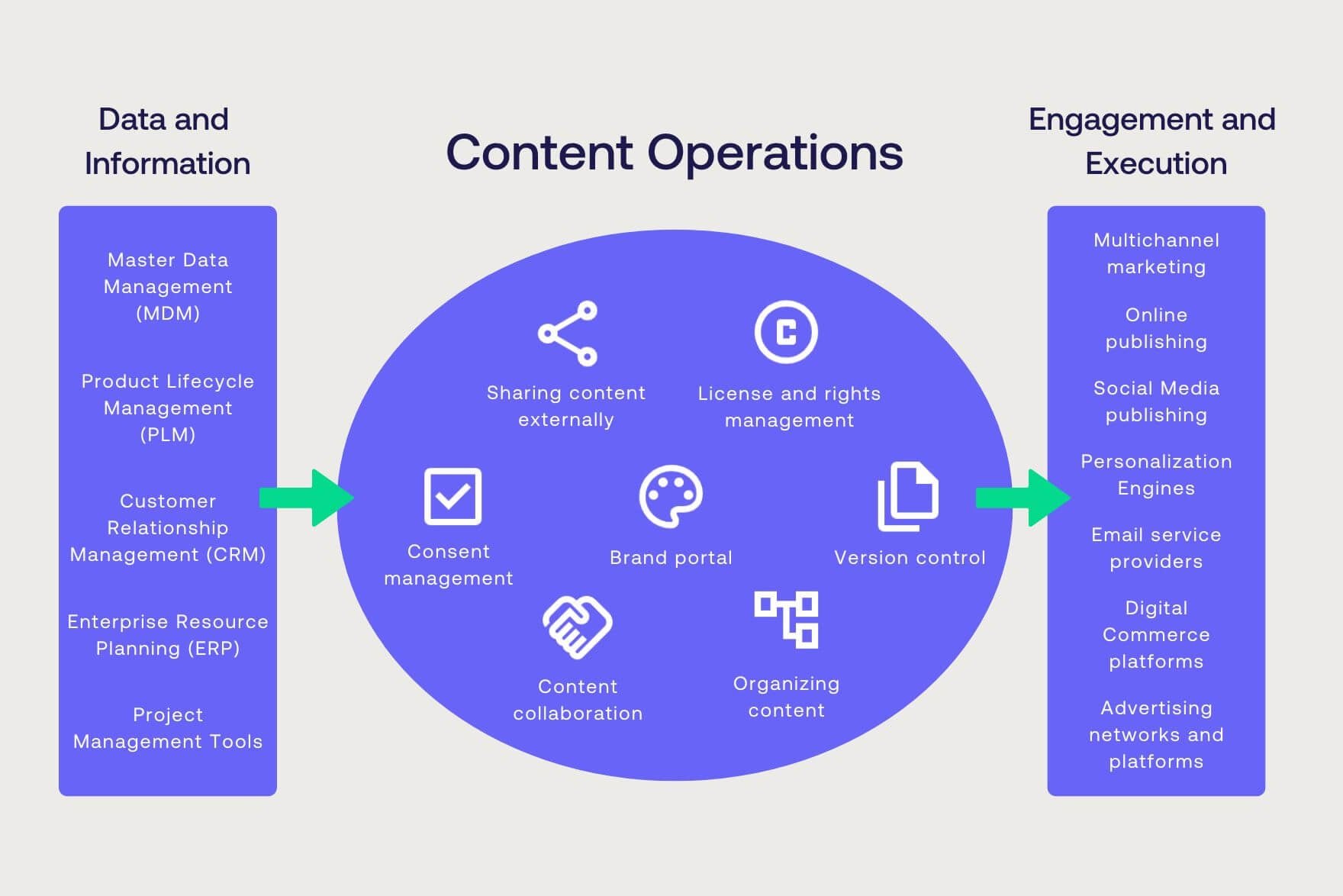
Automation and distribution. This is where a DAM moves beyond storage. With the right metadata in place, content can move itself: cropping, format conversion, rights checks, and approvals can be automated and triggered by the information in each file. Approved assets can then be published to multiple channels or shared through branded self-service portals, so partners and colleagues pull what they need without a round of email requests.
Read more: Automate content workflows from upload to delivery
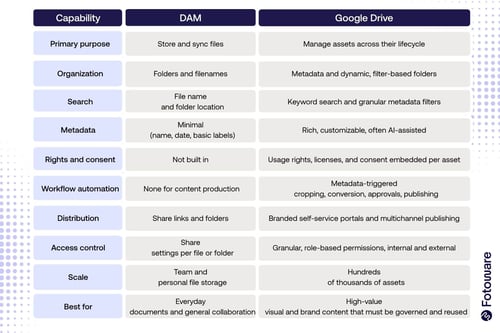
Google Drive vs DAM at a glance
|
Capability |
Google Drive |
Digital Asset Management (DAM) |
|
Primary purpose |
Store and sync files |
Manage assets across their lifecycle |
|
Organization |
Folders and filenames |
Metadata and dynamic, filter-based folders |
|
Search |
File name and folder location |
Keyword search and granular metadata filters |
|
Metadata |
Minimal (name, date, basic labels) |
Rich, customizable, often AI-assisted |
|
Rights and consent |
Not built in |
Usage rights, licenses, and consent embedded per asset |
|
Workflow automation |
None for content production |
Metadata-triggered cropping, conversion, approvals, publishing |
|
Distribution |
Share links and folders |
Branded self-service portals and multichannel publishing |
|
Access control |
Share settings per file or folder |
Granular, role-based permissions, internal and external |
|
Scale |
Team and personal file storage |
Hundreds of thousands of assets |
|
Best for |
Everyday documents and |
High-value visual content that must be governed and reused |
Do you have to choose between Google Drive and a DAM?
Usually not, and it is rarely a question of one or the other. Google Drive is a strong general-purpose tool for documents and day-to-day collaboration. A DAM is purpose-built for the visual content that needs to be governed, protected, and reused across teams. Plenty of organizations use both, and a DAM is designed to connect to the tools people already work in, such as Microsoft and Adobe applications, rather than replace them.
Read more: DAM Integrations: Build your content ecosystem
Google Drive is also not the only tool this question comes up against. If you are weighing a simple image library, or wondering whether the Microsoft stack you already own could do the job, the same distinctions apply.
6 Signs you've outgrown Google Drive for managing assets
The tipping point is almost always volume plus friction. A few clear signals tend to appear together:
-
Finding the right file takes longer than recreating it.
-
The same asset exists in several versions across different drives, and no one is sure which is approved.
-
You cannot tell from a file whether its usage rights or model consent are cleared.
-
People outside the original team cannot find assets without asking whoever uploaded them.
-
Folder structures have grown so deep that searching by filename no longer works.
-
Duplicates keep multiplying and storage grows without any cleanup.
Sebrae, the largest Brazilian organization supporting small businesses, hit exactly that point. Content was scattered across systems, work was duplicated, and assets took longer to find than to create. The shift that solved it was less about tooling and more about mindset: treating digital assets not as files to store, but as shared infrastructure that connects teams. The payoff was less duplication, faster collaboration, and a foundation that scales.
Read more: Sebrae's shift from file storage to scalable content infrastructure
Conclusion: Google Drive or a DAM?
 Google Drive and a Digital Asset Management system are built for different jobs. Drive is a capable place to store and share files, and for general documents and everyday collaboration it is often all a team needs.
A DAM is built for the visual and brand content an organization depends on, adding the metadata, rights control, version control, and automation that keep those assets findable, compliant, and reusable as they multiply.
The practical question is not which tool is better, but where your content sits on that line. When finding the right file, confirming its usage rights, or keeping one approved version has become a recurring cost, you have most likely outgrown a shared drive. That is the point where a DAM stops being a nice-to-have and starts paying for itself.
Read more: Image bank vs DAM: what's the difference?
Read more: Digital Asset Management vs SharePoint: what's the difference?


On this page