
Fotostation Power your photo workflows with unmatched metadata control
The leading image management and photo workflow tool for handling large batches of files and data – preferred by photographers worldwide.
Available as a bundle of 10 users, or as an add-on to our DAM Fotoware Veloz.
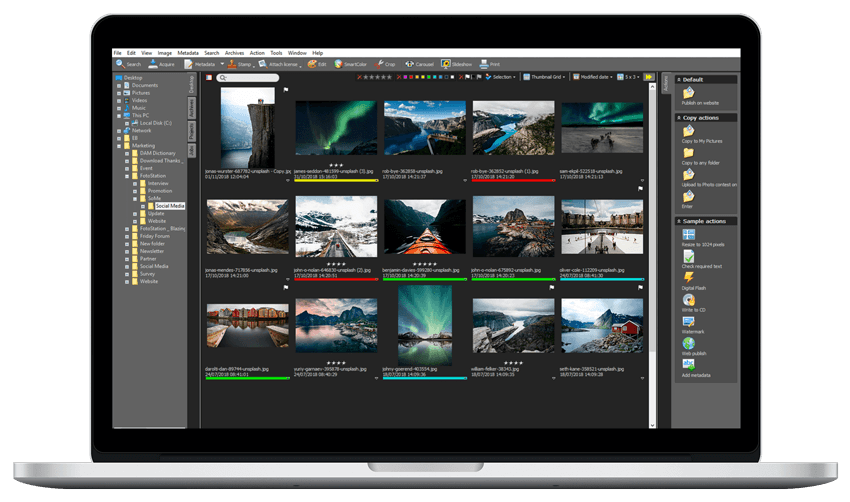
Image management for photographers and picture editors
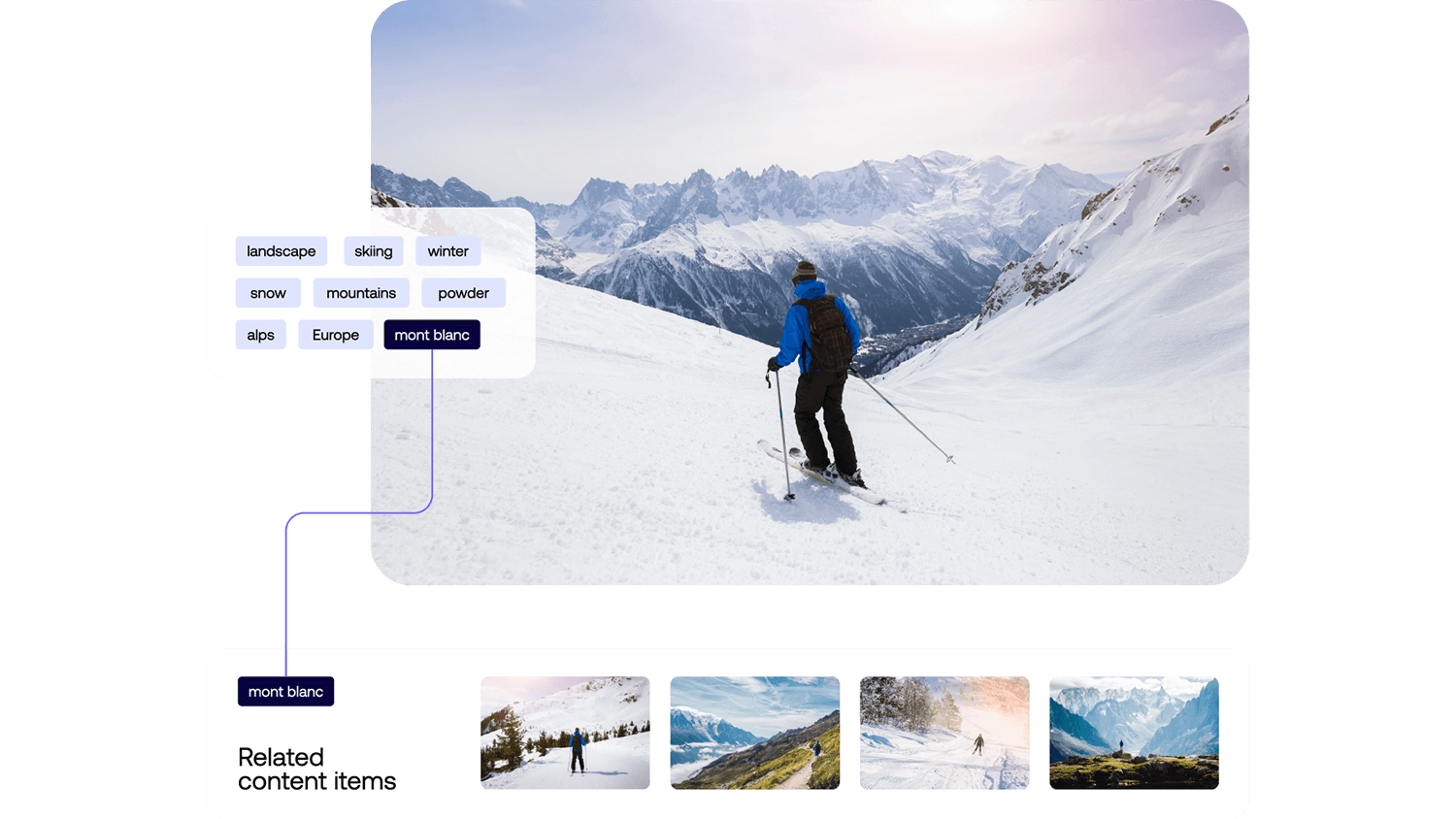
Advanced metadata management Structure and control your metadata at scale
Build advanced data structures with controlled vocabularies and hierarchical metadata to ensure every image is consistently tagged and easy to find. With Fotostation, you can edit metadata quickly in bulk, link related fields when needed, and maintain clean, reliable metadata even across very large image collections.
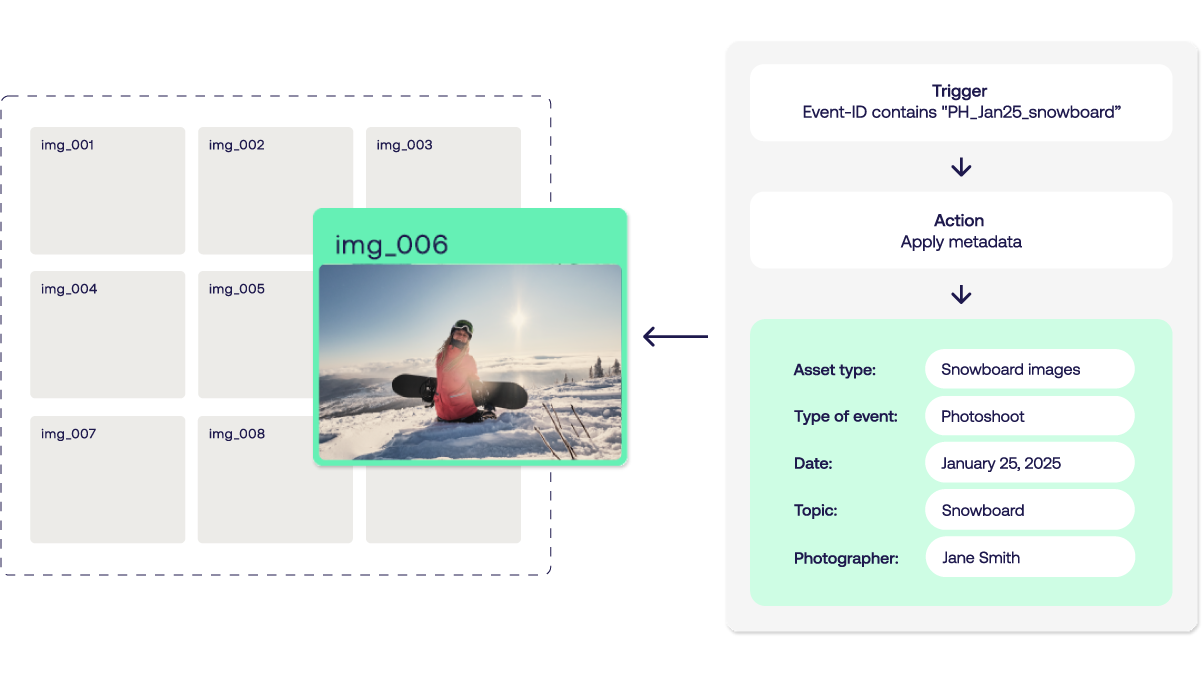
Customizable metadata workflows Automate complex workflows with precision
Move files to new locations, update metadata dynamically, and keep processes consistent at scale. Fotostation lets you build sophisticated, customizable metadata workflows tailored to your needs. Stack actions, define conditional rules, and populate metadata automatically using macros that trigger actions when tags are applied or updated - so complex workflows run reliably without manual effort.
Seamless connection with Fotoware DAM Work locally. Stay connected.
Connect Fotostation to Fotoware DAM to enable team members to work remotely and efficiently across locations. Connect to multiple tenants and storage units at once to access and edit files across locations. Customize the interface, actions, and shortcuts to fit your way of working - so you stay fast, flexible, and in control.

Key features
-
tune
Customizable metadata editor
Tailor the metadata editor for your exact needs.
-
desktop_windows
The power of desktop
Access, browse and edit your entire media library offline, including assets stored in the cloud.
-
search
Fast search
Search and find relevant assets in seconds.
-
label
Keyword lists
Streamline metadata management with imported keyword lists.
-
history
Version control
Compare and restore several versions of a single file.
-
filter_alt
Culling and selection
Browse, compare, select, and reject thousands of images at top speed.
Stories from customers
-
- Josephine Cederborg Wennberg, Tech Business Analyst, Lindex -
“The moment a picture arrives in our working environment, it already has the proper metadata”
- Kris Verschooten, Head of Internal Production & Logistics, at Vlaamse Radio- en Televisieomroeporganisatie -
"Now, images are available in near real-time, reducing delays and giving editors instant access to fresh, approved content"
Simon Chappell, Group IT Director at Time Out Magazine
-
menu_book
Learn Fotostation
-
Troubleshoot
-
Reinstall
Frequently asked questions
-
Fotostation is designed to handle large-scale image processing, including batch processing for tasks like resizing, converting formats, and applying watermarks, making it suitable for organizations of all sizes.
-
Fotostation has a collection of tools for culling large collections of photos.
These tools include a carousel view, a slideshow and a comparison tool, in addition to keyboard shortcuts to tag files you want to keep and reject the ones you don’t.
You can also choose from several different ways to view your files and different sorting mechanisms to display them in the desired order. In short, you can arrange your files the way that suits you best.
-
Fotostation can access files from all connected servers, including local storage and Fotoware SaaS. The system doesn't need to import files in order to work with them.
-
Yes, Fotostation is fully XMP compatible, making your data more accessible to other programs, including the system OS.
-
Fotoware is happy to offer workshops and training for employees who need to use Fotostation as a part of their work.
There is also an online library with product specific documentation available at learn.fotoware.com, which we recommend all users familiarize themselves with.
-
1. You can purchase Fotostation as a standalone solution in a bundle of 10, called Fotostation Business. Fotostation Business Plus includes an Index Manager in addition.
2. Or, you can purchase Fotostation as an add-on to your Fotoware DAM solution (optional number of licenses), allowing for a seamless flow of assets and metadata across systems.
Contact us today
Want Fotostation? Contact us today
Whether you're ready to get started or have questions about pricing, licensing, or features - we're here to help you move forward.